RocketWhisper Screenshots
AI-powered offline speech recognition and transcription software for Windows
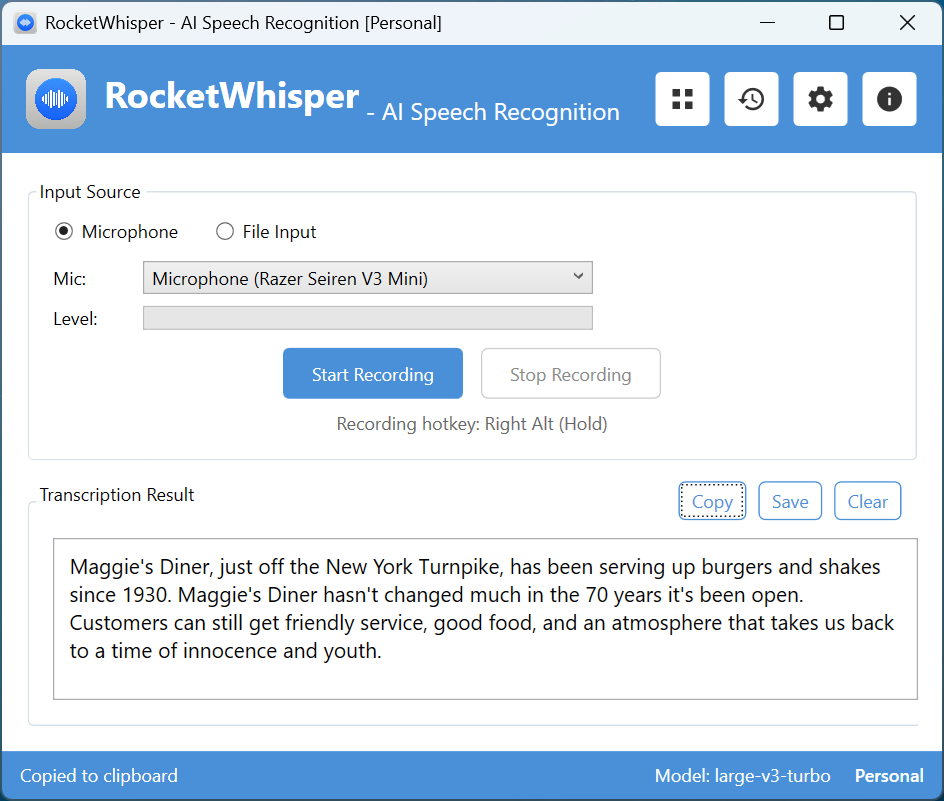
Main Window - Real-Time Speech Recognition
The main interface provides microphone input with real-time audio level monitoring, one-click recording with global hotkey support (Right Alt hold-to-talk), and instant transcription results powered by OpenAI Whisper (large-v3-turbo model). Recognized text can be automatically copied to clipboard or pasted into the active application.
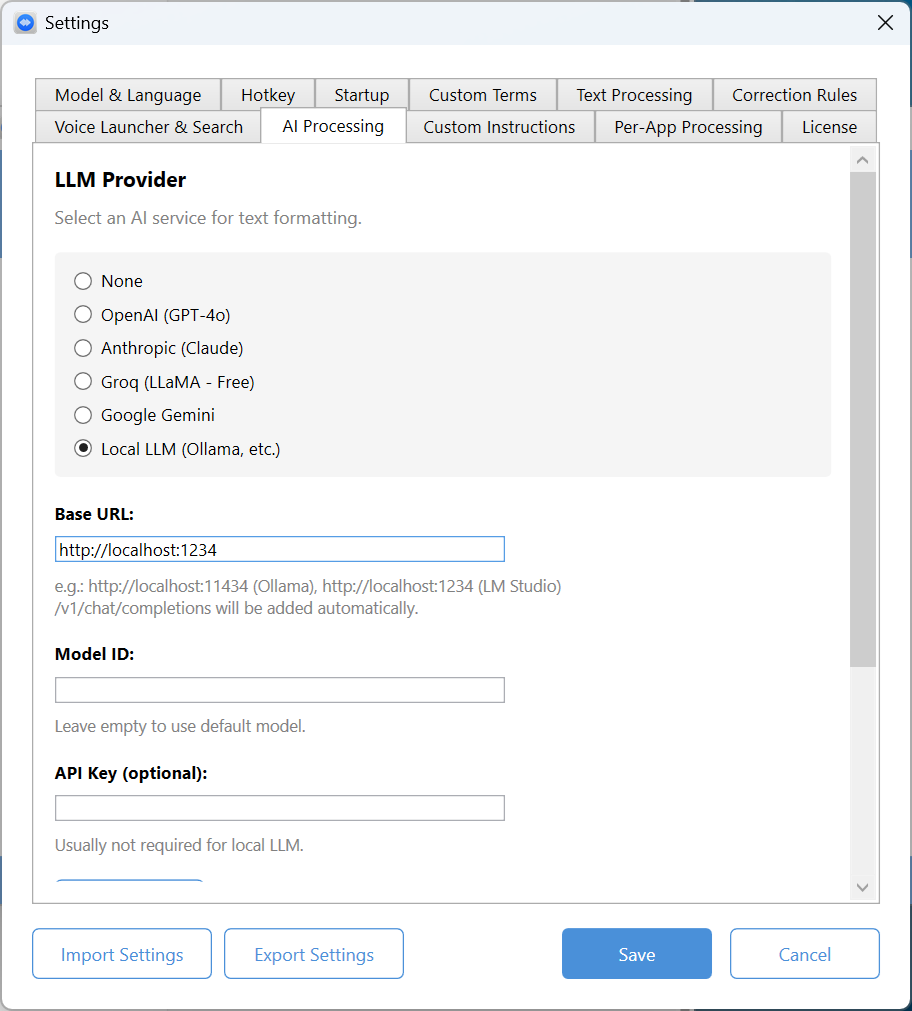
Settings - AI Processing (LLM Integration)
Supports multiple AI providers for intelligent text formatting: OpenAI (GPT-6.1 Sol / GPT-6 Luna), Anthropic (Claude), Groq (GPT-OSS - free tier), Google Gemini, and local LLM servers (Ollama, LM Studio). Use AI to automatically polish transcriptions into business emails, casual messages, summaries, or translations. Fully works offline with local LLM option.
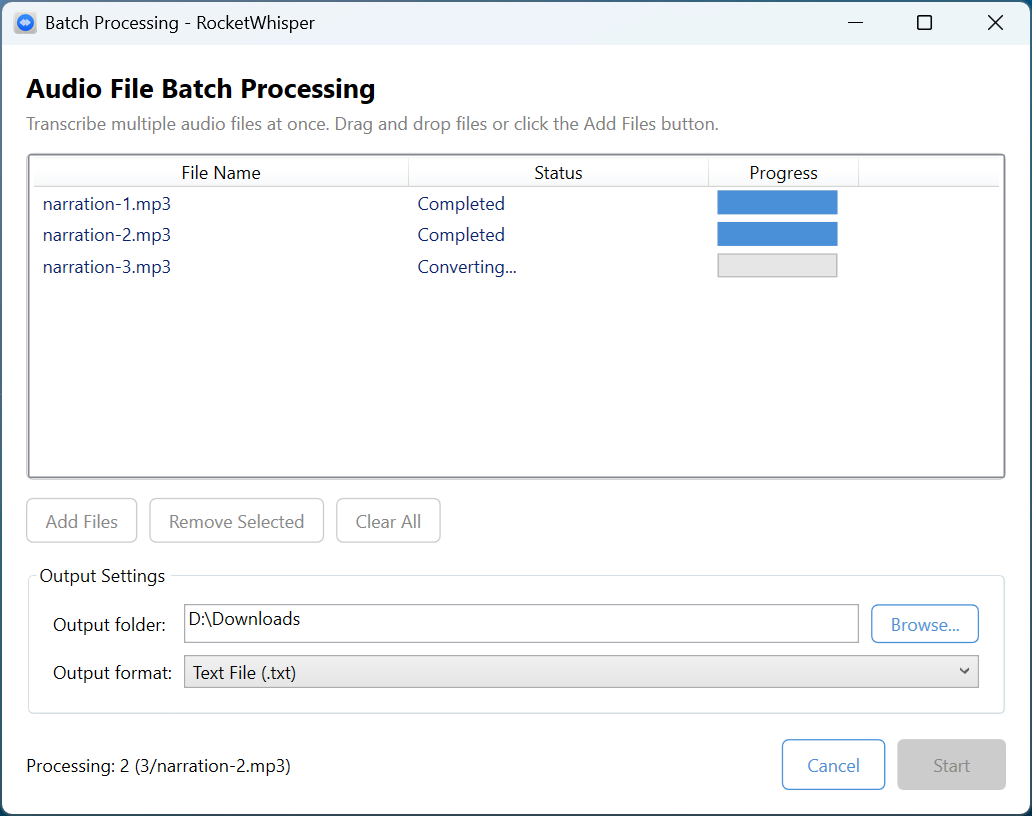
Batch Processing - Transcribe Multiple Files
Process multiple audio and video files at once with drag-and-drop support. Supports WAV, MP3, M4A, FLAC, OGG, WMA, MP4, MKV, AVI, MOV, and more. Export results as plain text, SRT subtitles, or VTT subtitles. Ideal for meeting recordings, lecture transcription, and video subtitle generation.