一括変換・リサイズ・圧縮・切り抜き
4つの機能をシンプルなひとつのアプリに。
Convert, Resize, Compress & Crop
4 powerful features in one simple app.
画像の変換・加工がこのアプリひとつで完結します。One app covers all the image tasks you need.
PNG・JPEG・WebP𰾻MP・TIFF・GIF間を自由に変換。複数ファイルをまとめて一括処理。Convert freely between PNG, JPEG, WebP, BMP, TIFF, and GIF. Batch process multiple files at once.
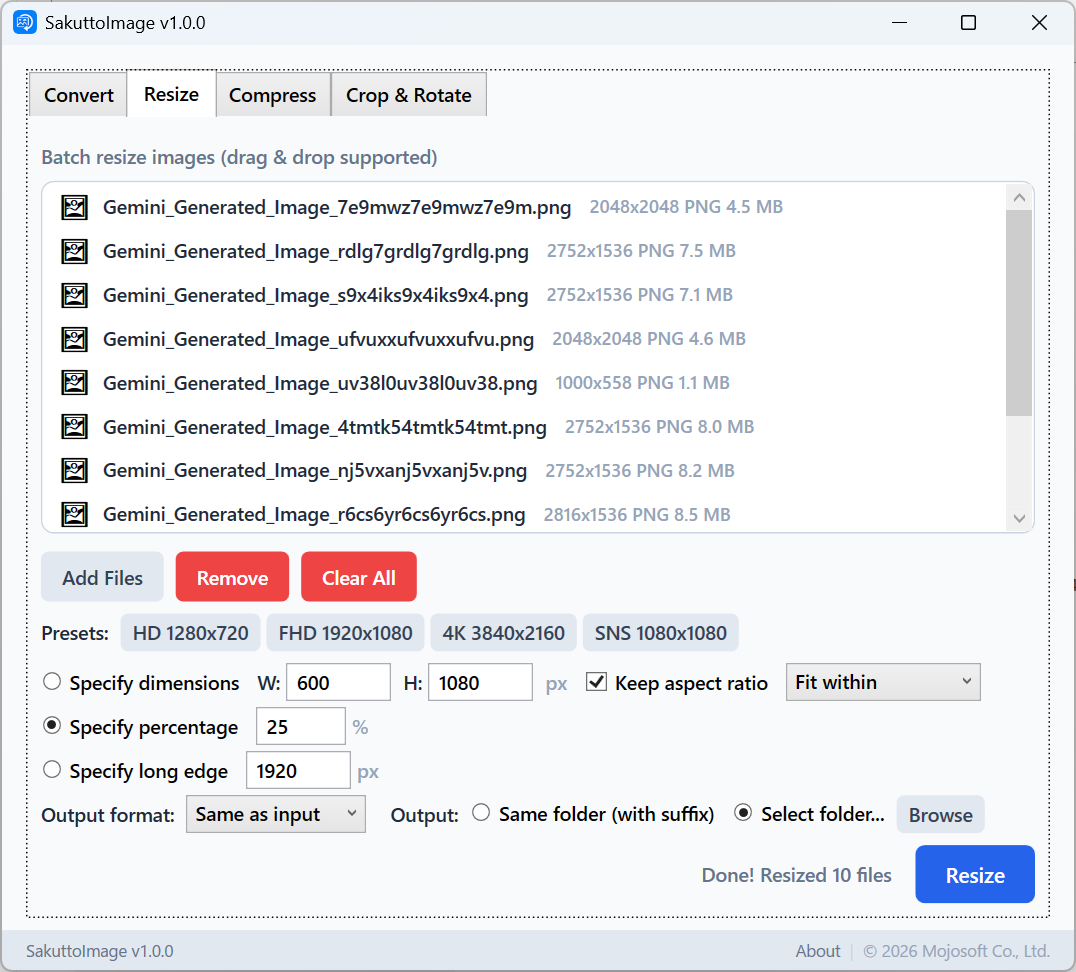
サイズ指定・倍率・長辺指定の3モード。SNS用プリセットも搭載。3 modes: exact size, scale ratio, or longest side. Includes SNS-ready presets.
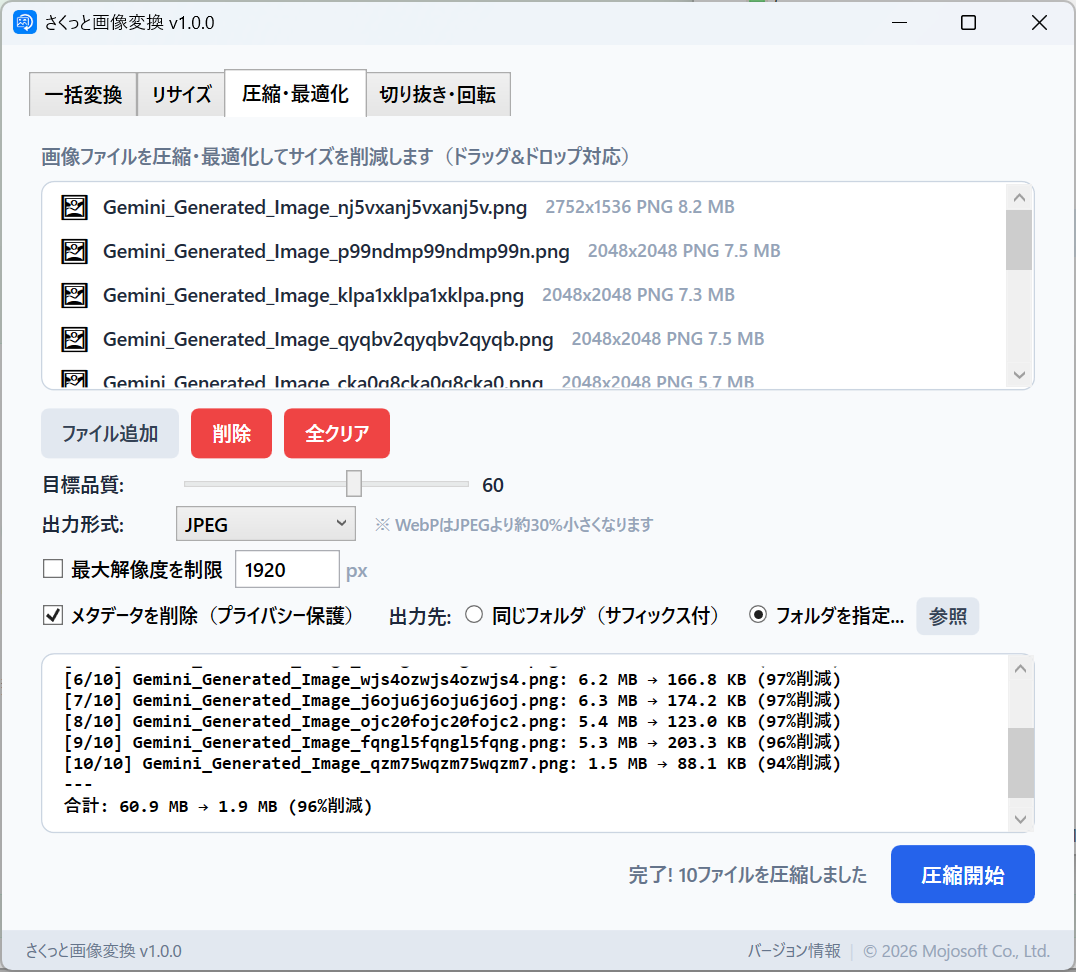
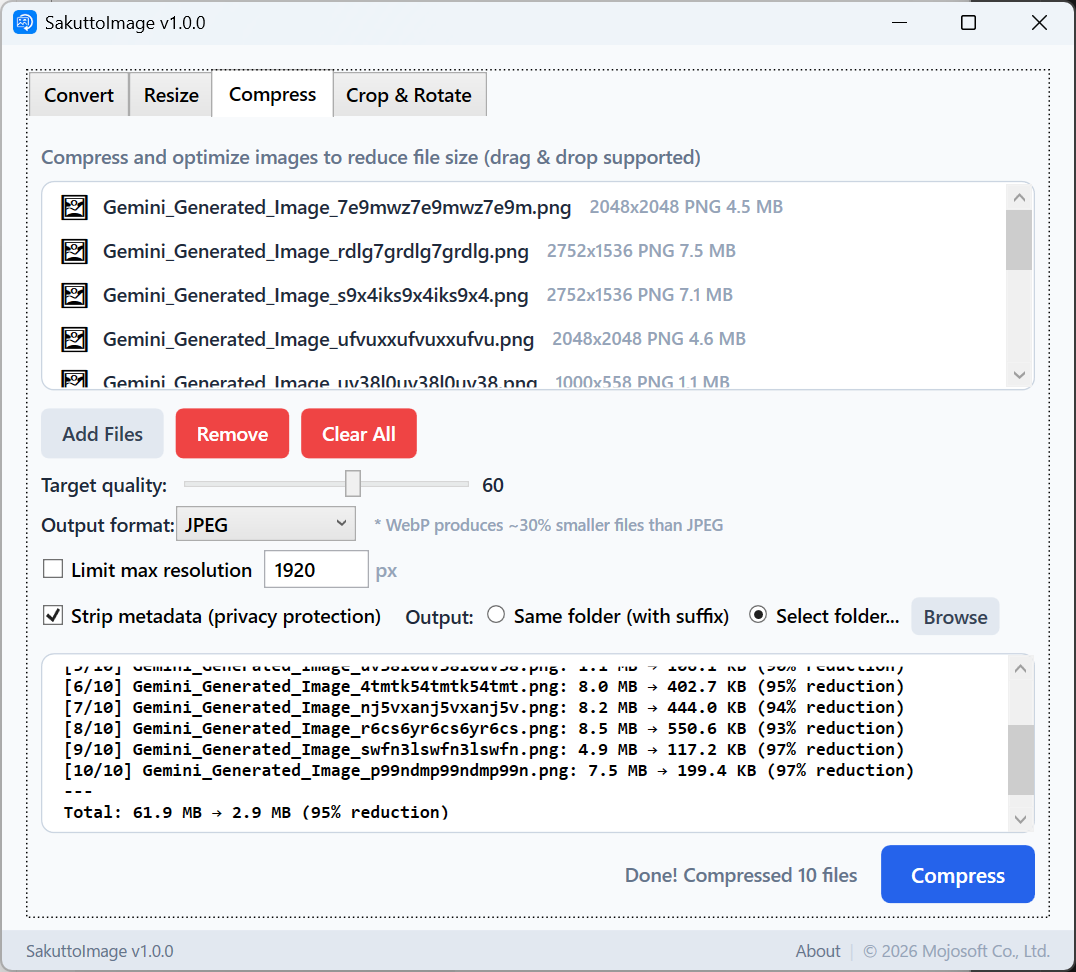
品質スライダーで圧縮率を調整。ファイルサイズを大幅削減。Adjust compression with a quality slider. Dramatically reduce file sizes.
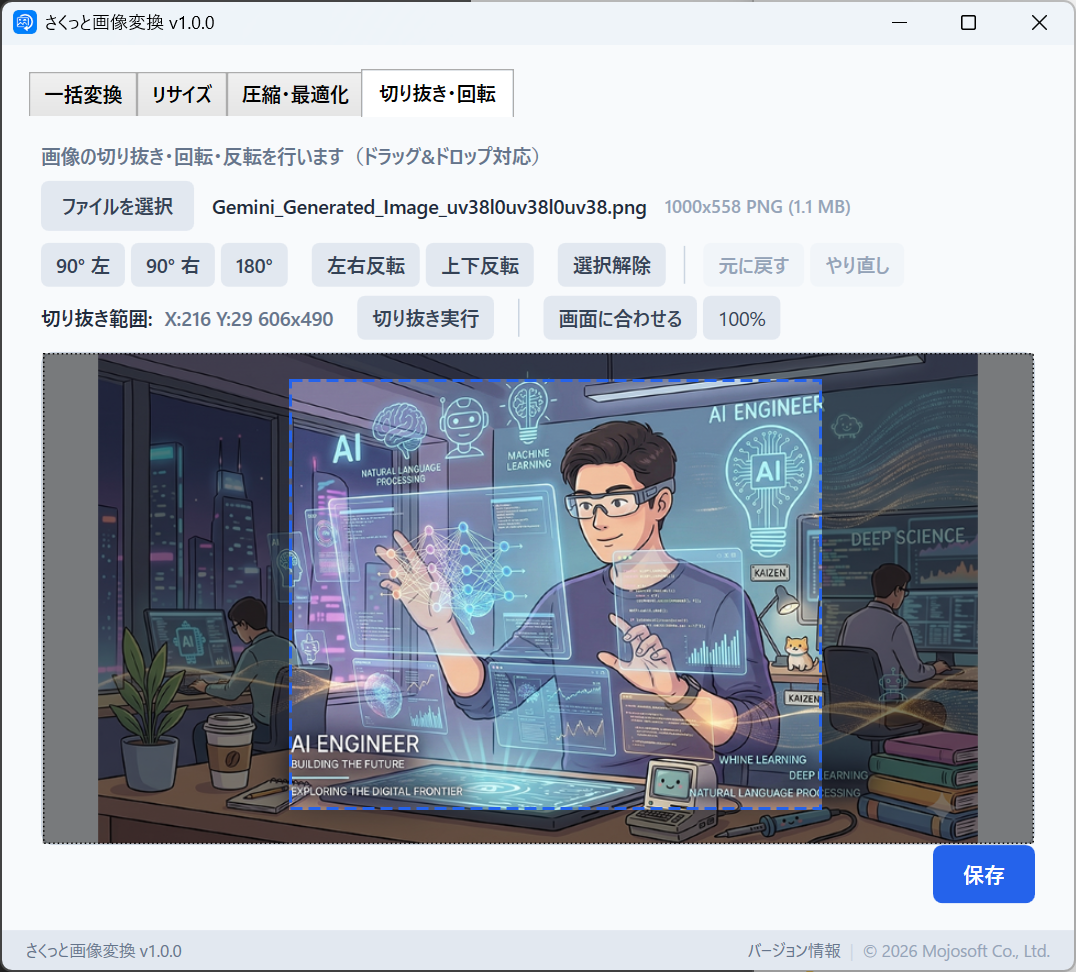
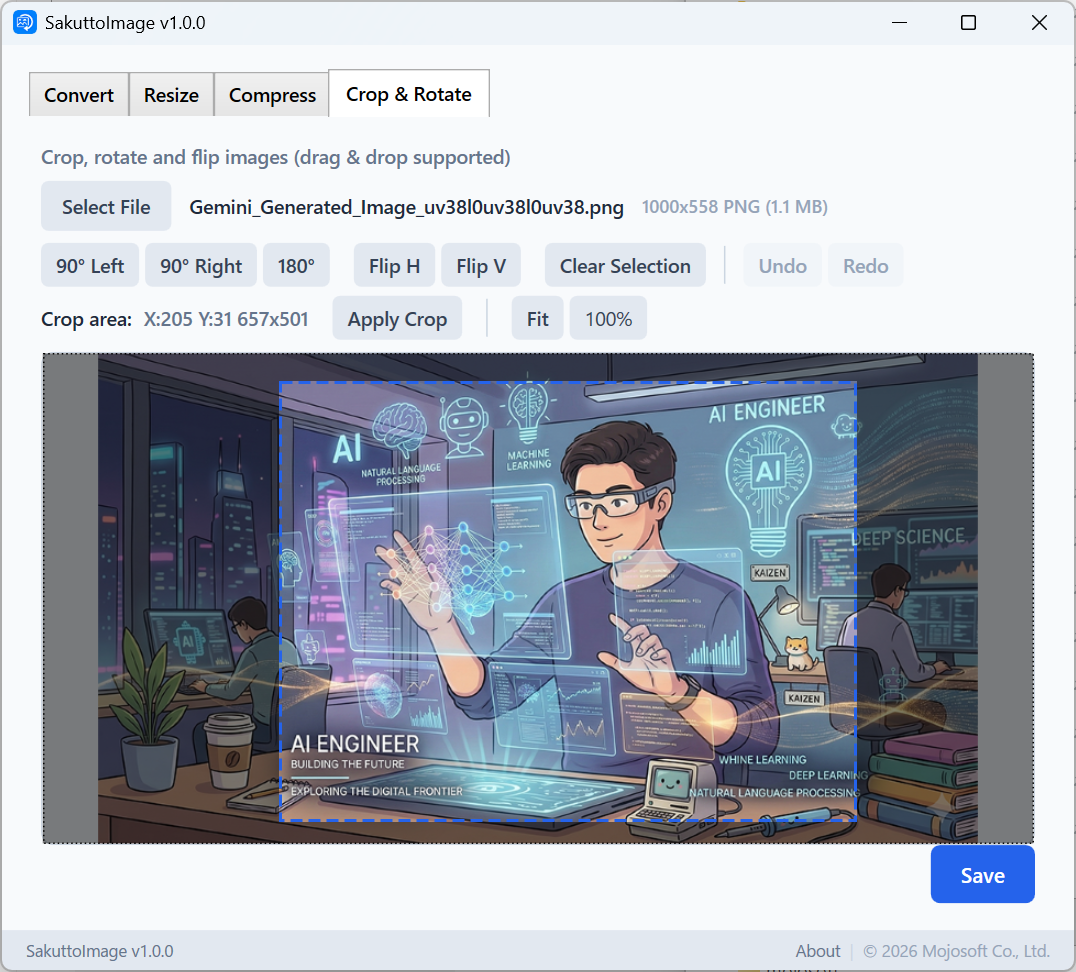
マウスドラッグで直感的に切り抜き。回転・反転もワンクリック。Intuitively crop with mouse drag. Rotate and flip with one click.
実際のアプリの画面をご覧ください。See the app in action.
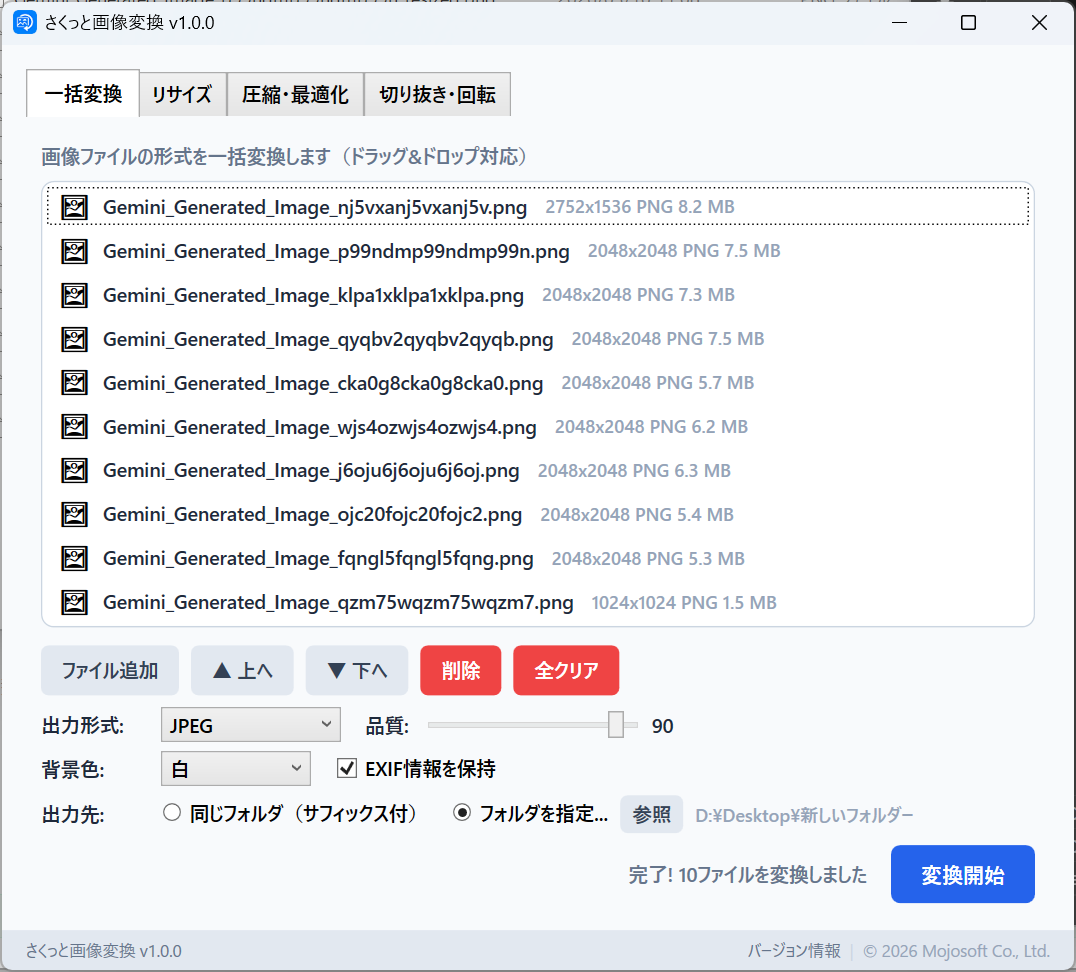
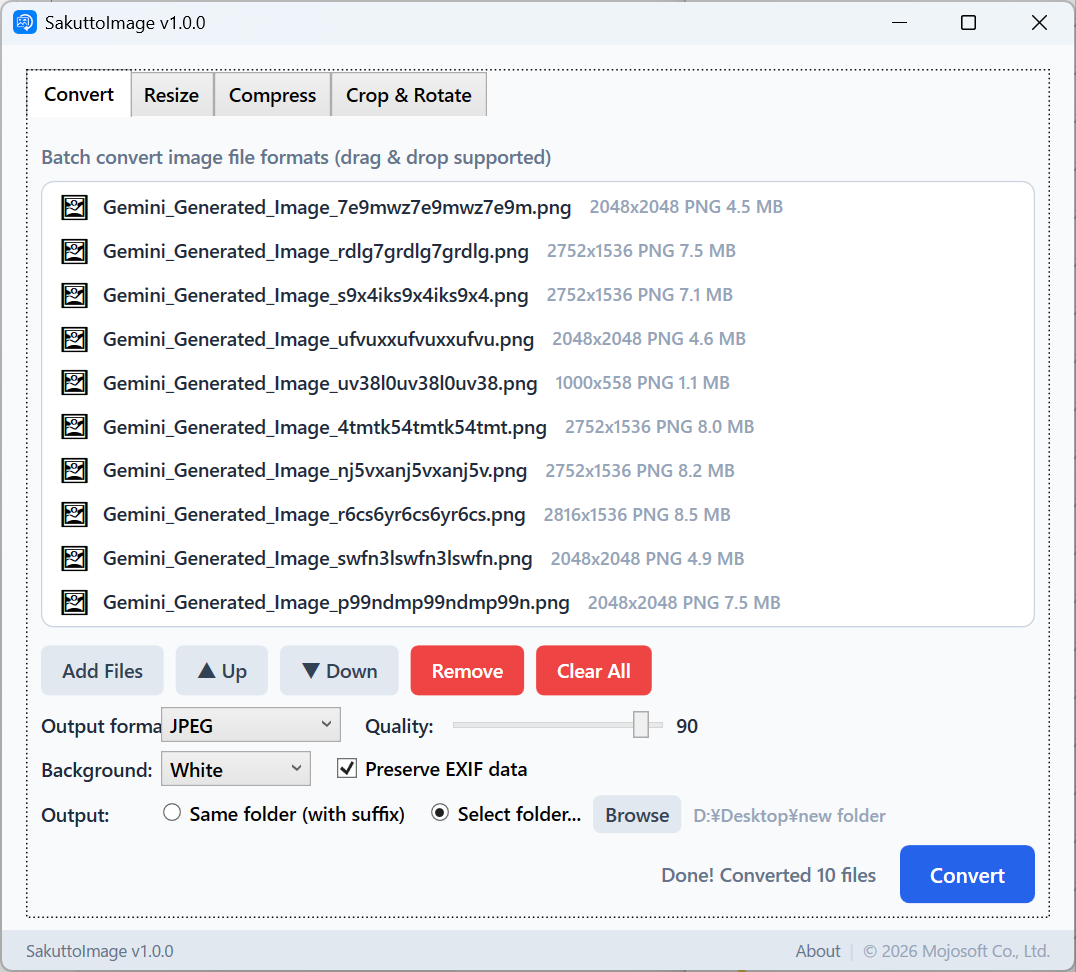
複数の画像をドラッグ&ドロップで追加し、PNG・JPEG・WebP𰾻MP・TIFF・GIFのいずれかに一括変換。JPEG品質や透過背景色も設定可能。Add multiple images via drag & drop, then batch convert to PNG, JPEG, WebP, BMP, TIFF, or GIF. Configure JPEG quality and background color for transparent images.
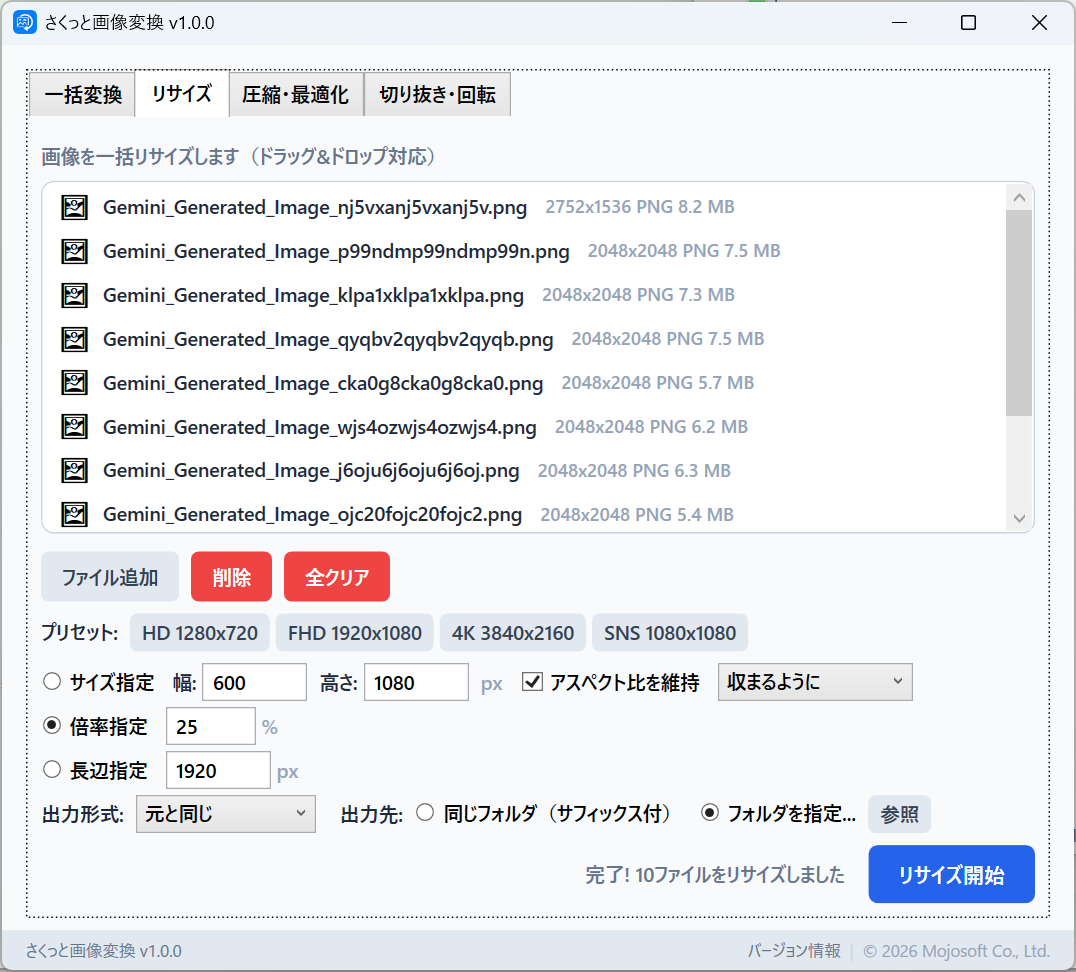
サイズ指定・倍率・長辺指定の3モード。HD𰾿ull HD・4KやSNS向けプリセットも搭載。Lanczos3アルゴリズムで高品質なリサイズ。3 modes: exact size, scale, or longest side. Includes HD, Full HD, 4K, and SNS presets. Lanczos3 algorithm for high-quality resizing.
品質スライダーで圧縮率を微調整。最大解像度制限やメタデータ削除でファイルサイズを大幅削減。圧縮結果もログで確認。Fine-tune compression with a quality slider. Reduce file size with resolution limits and metadata removal. View compression results in the log.
マウスドラッグで切り抜き範囲を選択。90°/180°回転、水平・垂直反転もワンクリック。Undo/Redoで何度でもやり直せます。Select crop area with mouse drag. Rotate 90°/180° and flip horizontally or vertically with one click. Undo/Redo lets you try again anytime.
日常の画像作業を、もっとシンプルに。Make your daily image tasks simpler.
インストールしたらすぐ起動。アカウント登録もログインも不要です。Launch right after install. No account signup or login required.
PNG・JPEG・WebP𰾻MP・TIFF・GIF。よく使う形式をすべてカバー。PNG, JPEG, WebP, BMP, TIFF, GIF. All common formats covered.
OSの言語設定に合わせて自動で切り替わります。Automatically switches based on your OS language setting.
すべての処理はPC上で完結。ファイルが外部に送信されることはありません。All processing stays on your PC. Your files are never sent to any server.
月額課金なし。一度購入すればずっと使えます。No subscription fees. Buy once, use forever.
大量の画像もサクサク処理。進捗バーでリアルタイムに確認。Handles large batches smoothly. Real-time progress bar included.
画像変換がこんなにラクになります。Image conversion has never been this easy.
変換・リサイズ・圧縮・切り抜きから、やりたい操作をクリック。Click the tab for the operation you want: convert, resize, compress, or crop.
画像ファイルをドラッグ&ドロップ、またはボタンで選択。Drag & drop image files, or select them with the file picker.
ボタンをクリックするだけ。処理結果はすぐに保存されます。Click the button and you're done. Results are saved instantly.
お困りの際はお気軽にお問い合わせください。Feel free to contact us if you need help.
不具合の報告・機能のリクエストBug Reports & Feature Requests
GitHub Issues からご報告いただけます。
Report via GitHub Issues.
お問い合わせContact
Email: support@mojosoft.biz