Windows 用 動画翻訳ツール
Video Translation Tool for Windows
Snap Video Translator icon

さくっと動画翻訳Snap Video Translator

文字起こし → AI翻訳 → 字幕焼き付け/AI吹き替え
動画の多言語対応を、これ1本で。
Transcribe → Translate → Burn-in Subtitles or AI Dub
Everything you need to localize a video, in one app.

日本語 English 中文 한국어 Français Deutsch Español
Microsoft Store で入手Get on Microsoft Store 無料で試す(5分まで)Free Trial (up to 5 min) ダウンロード版を購入Buy Download Edition

試用版は動画長5分まで。フル機能はダウンロード版 ¥2,950 または Microsoft Store でご購入を。 Trial limited to 5 min per video. Buy the full edition for ¥2,950 (download) or via Microsoft Store.

※ダウンロード版は未署名インストーラーのため、初回実行時に Windows SmartScreen の警告が表示されます。「詳細情報」→「実行」で起動できます。 Note: The download installer is unsigned. Windows SmartScreen may warn on first run — click "More info" → "Run anyway" to launch.
実際に使うと、こうなりますSee It in Action

30秒の英語プロモを、さくっと動画翻訳で日本語化したデモです。 A 30-second look at what Snap Video Translator does.

0:00 — 英語原版 0:25 — 区切り 0:26 — 日本語吹替+字幕

前半(0:00〜0:25)は英語ナレーション付きのプロモ動画。
後半(0:26〜0:51)は同じ動画を「さくっと動画翻訳」で日本語化したものです — AI吹替で音声を差し替え、翻訳字幕を動画に焼き付けています。
「翻訳前」と「翻訳後」を1本でご覧いただけます。

A 30-second product video showing the core flow — drop a video, transcribe the speech, translate with AI, and choose burn-in subtitles or AI dubbing in 7 languages.

動画の多言語対応に必要な機能をEverything You Need to Localize Video

文字起こしから吹き替えまで、このアプリひとつで完結します。From transcription to dubbing — one app covers it all.

📝 文字起こしTranscribe

高精度な文字起こしAccurate Transcription

OpenAI Whisper をお使いのPC上で実行。音声をクラウドに送らずに字幕の元データを作成します。Runs OpenAI Whisper on your own PC. Builds the subtitle source without sending audio to the cloud.

  • small / medium / large-v3-turbo / large-v3 から選択Choose small / medium / large-v3-turbo / large-v3
  • SRT / VTT 字幕ファイルの書き出しExport subtitles as SRT / VTT
🌐 AI翻訳AI Translation

AIで自然に翻訳Natural AI Translation

Gemini・OpenAI・Claude などのAIサービス、またはOpenAI互換のローカルLLMで翻訳できます。Translate with AI services like Gemini, OpenAI, and Claude, or an OpenAI-compatible local LLM.

  • 翻訳先言語を自由に指定Pick any target language
  • 焼き付け前に字幕を確認・編集Review and edit subtitles before burn-in
🎬 字幕焼き付けSubtitle Burn-in

字幕を動画に焼き込みBurn Subtitles into Video

フォントサイズ・文字色・縁取り・表示位置を調整して、字幕を動画に直接焼き込みます。Adjust font size, color, outline, and position, then burn subtitles directly into the video.

  • スタイルを自由にカスタマイズFully customizable styling
  • 複数の動画をバッチ処理Batch-process multiple videos
🎙️ AI吹き替えAI Dubbing

7言語のAI吹き替えAI Dubbing in 7 Languages

翻訳した内容を音声化し、吹き替え動画を生成。元音声とのミックス/置き換えを選べます。Turns the translation into speech and generates a dubbed video. Mix with or replace the original audio.

  • 日本語・英語・中国語・韓国語・仏・独・西JA / EN / ZH / KO / FR / DE / ES
  • 男声・女声を選択Male or female voice

スクリーンショットScreenshot

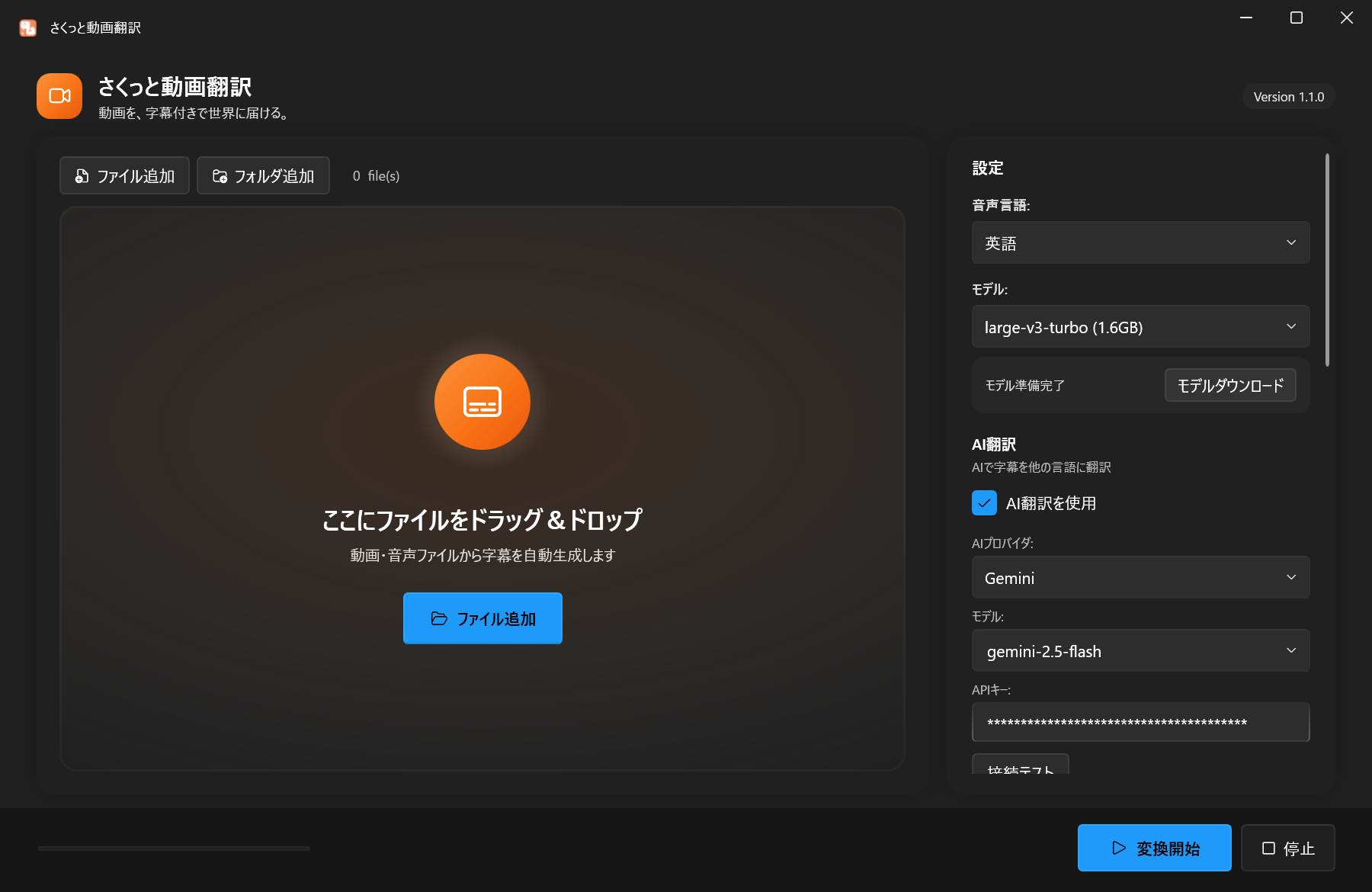
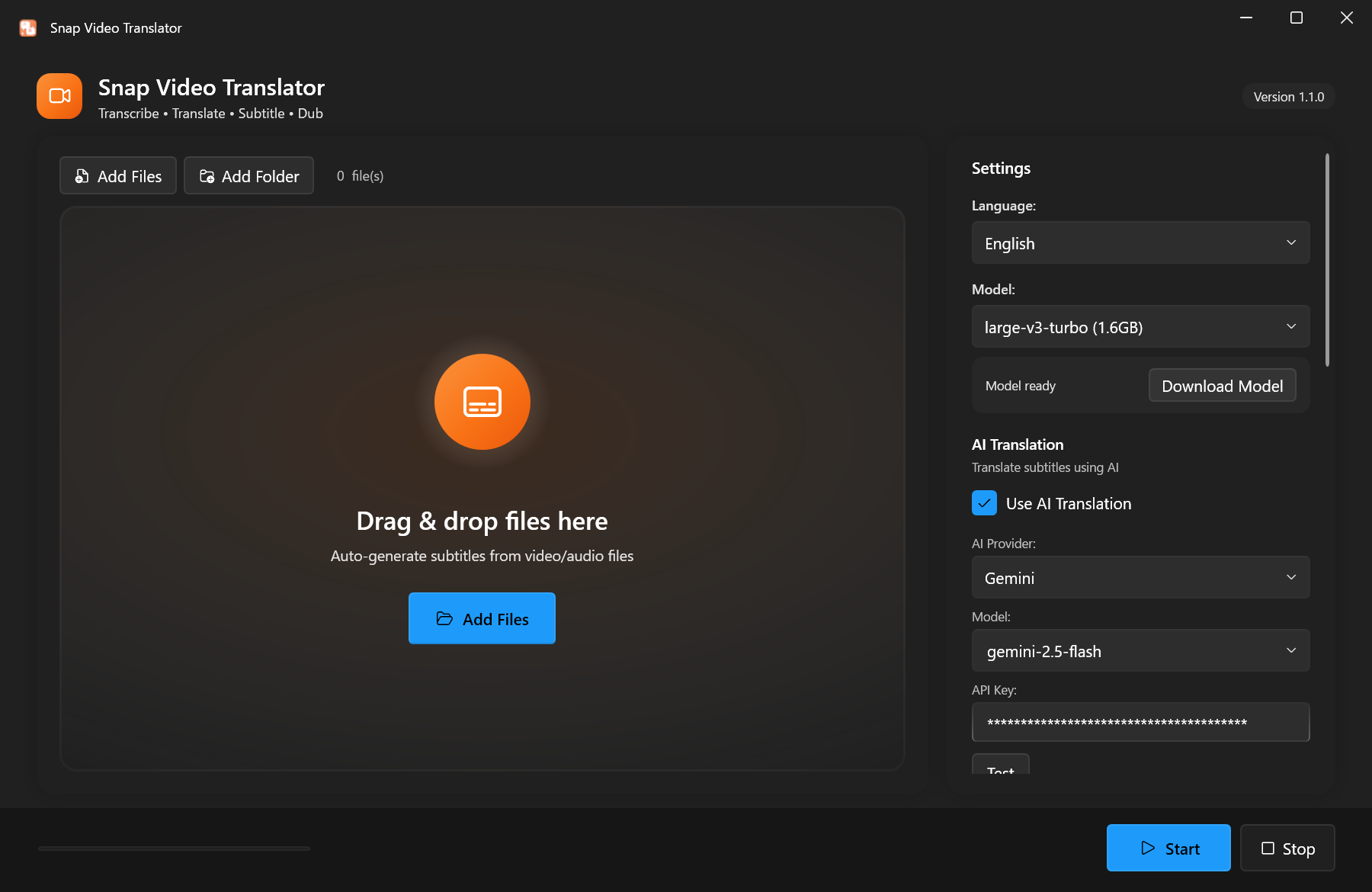
動画を入れて設定するだけのシンプルな画面。A simple screen — just add a video and configure.

さくっと動画翻訳の画面 Snap Video Translator screen

メイン画面 — 文字起こし・AI翻訳・吹き替えの設定をまとめて行えます。Main window — transcription, AI translation, and dubbing settings all in one place.

選ばれる理由Why Choose It

動画の多言語対応を、もっとシンプルに。Localizing video, made simpler.

すぐ使えるReady to Use

インストールしたらすぐ起動。アカウント登録は不要です。Launch right after install. No account signup required.

🗣️

7言語の吹き替えDubbing in 7 Languages

日本語・英語・中国語・韓国語・フランス語・ドイツ語・スペイン語に対応。Japanese, English, Chinese, Korean, French, German, and Spanish.

🌍

日本語/英語UIJapanese / English UI

OSの言語設定に合わせて自動で切り替わります。Switches automatically based on your OS language.

🔒

文字起こしはローカルLocal Transcription

文字起こしはPC上のWhisperで動作し、音声は外部に送信されません。Transcription runs locally with Whisper — your audio is not sent anywhere.

💰

買い切りOne-Time Purchase

月額課金なし。一度購入すればずっと使えます。No subscription. Buy once, use forever.

🤖

AIを選べるChoose Your AI

Gemini・OpenAI・Claude、またはローカルLLMから選択できます。Pick Gemini, OpenAI, Claude, or a local LLM.

価格 — 2つの入手方法Pricing — Two Ways to Get It

Microsoft Store でかんたんに、またはダウンロード版を試してから購入。どちらも同じ価格 ¥2,950(買い切り)。Get it easily from Microsoft Store, or try the download edition before buying. Same price either way — ¥2,950 (one-time).

ダウンロード版Download Edition

試してから買えるTry before you buy
¥2,950 買い切りone-time

PayPalまたは銀行振込で購入。試用版(動画長5分まで)を先に試せます。 Pay via PayPal or bank transfer. Try the trial first (5-min video limit).

  • 無料で試用可能(動画長5分まで)Free trial (up to 5 min per video)
  • PayPal / 銀行振込で購入Pay via PayPal or bank transfer
  • Microsoft Store の手数料を回避Avoids Microsoft Store fees
  • 買い切り・永続ライセンスOne-time purchase, permanent license
  • 未署名のため SmartScreen 警告あり(「詳細情報」→「実行」で起動可)Unsigned — SmartScreen warns on first run (click "More info" → "Run anyway")
  • 手動更新(メール通知でお知らせ)Manual updates (notified by email)
無料試用版をダウンロードDownload Free Trial → ダウンロード版を購入(ライセンスキー発行)→ Buy Download Edition (license key)

どちらの版も機能は完全に同じです。Store版は自動更新で手軽、ダウンロード版は購入前に試せるのが特徴。ダウンロード版の詳細・購入ページ → Both editions have identical features. Store version is convenient with auto-updates. Download edition lets you try before you buy. See download edition details →

使い方はかんたん 3ステップEasy 3-Step Workflow

動画の翻訳がこんなにラクになります。Translating a video has never been this easy.

動画を入れるAdd Your Video

動画・音声ファイルをドラッグ&ドロップ、またはボタンで選択。Drag & drop video/audio files, or select them with the button.

設定するConfigure

文字起こしモデル・AI翻訳・吹き替えのオプションを選びます。Choose the transcription model, AI translation, and dubbing options.

実行!Run!

ボタンをクリックするだけ。字幕付き動画や吹き替え動画が出力されます。Just click the button. Out comes your subtitled or dubbed video.

サポートSupport

お困りの際はお気軽にお問い合わせください。Feel free to contact us if you need help.

不具合の報告・機能のリクエストBug Reports & Feature Requests
GitHub Issues からご報告いただけます。 Report via GitHub Issues.

お問い合わせContact
Email: support@mojosoft.biz

プライバシーポリシーPrivacy Policy